
How to Claim a Coupon Code in Typing Astro Plotters
Unlock special discounts on Typing Astro Plotters by using a coupon code! Follow these simple steps to apply your coupon and upgrade your account.
1. Visit the Plotters Website
Go to one of the following Typing Astro Plotters websites:
- Qimen Plotter: https://qimen.typingasto.com
- Bazi Plotter: https://bazi.typingastro.com
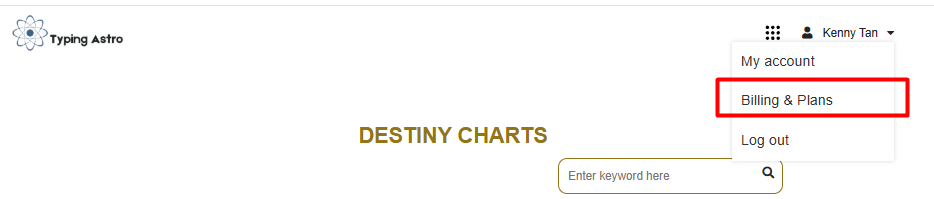
2. Access Billing & Plans
- Hover over your Profile Name in the top-right corner.
- Click on Billing & Plans from the dropdown menu.
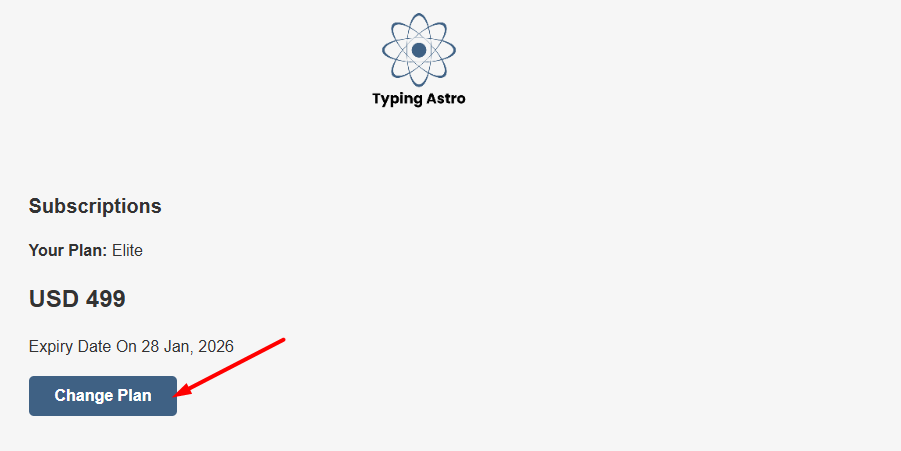
3. Choose to Change Your Plan
- Click Change Plan to see the available subscription options.
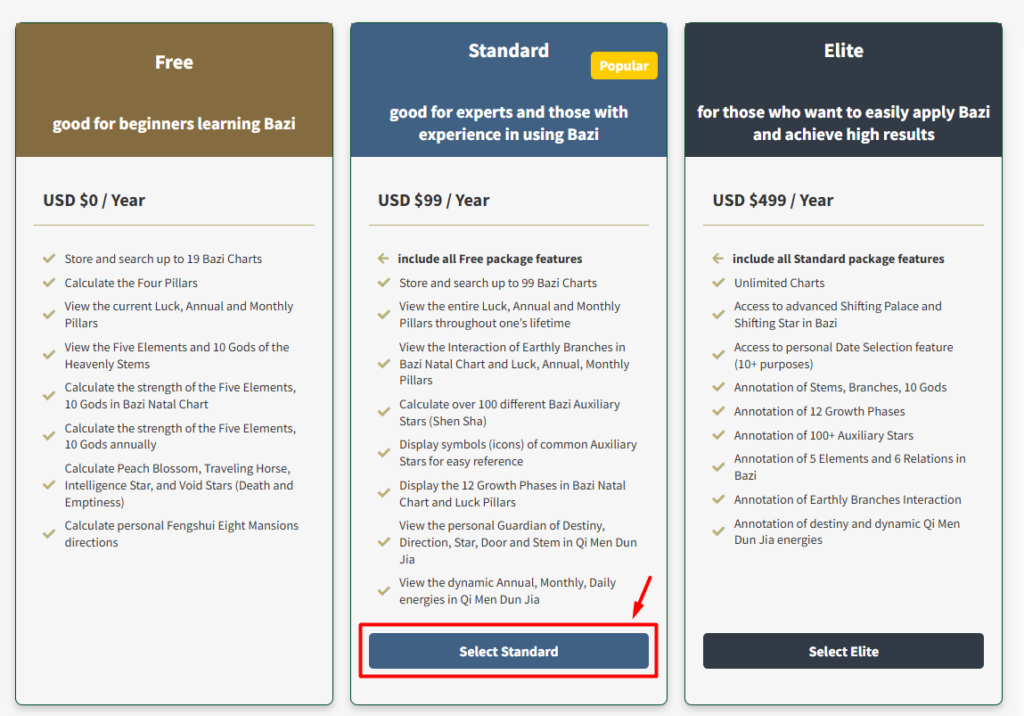
4. Select Your Desired Plan
- Choose the plan where you want to apply the coupon (Standard or Elite).
- Click Select [Your Package] to proceed.
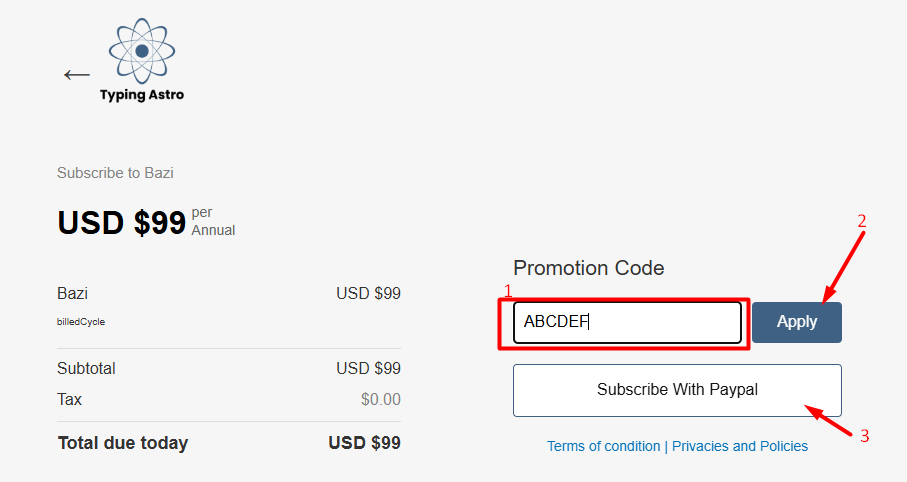
5. Enter Your Coupon Code
- Find the coupon code field and enter your valid code.
- Click Apply to see the updated discounted price.
6. Complete Your Payment
- Click Subscribe With PayPal to proceed with the payment.
- Follow the PayPal checkout process to finalize your purchase.
7. Confirmation & Upgrade
- After payment, you will receive a confirmation email.
- Your account will be upgraded automatically based on your selected plan.
Enjoy Your Upgraded Features!
Once your subscription is activated, you can access premium tools and insights in Typing Astro Plotters.
For any issues, feel free to contact our support team.
Happy exploring!